Machine Roles
Machine roles are reusable configuration templates that produce cloud-init YAML. A role defines what a machine should look like after provisioning — packages to install, files to write, scripts to run, and services to configure. You can assign one or more roles to each machine, and Durantic merges them into a single cloud-init configuration.
List Page
The Machine Roles list page shows all roles in your account.
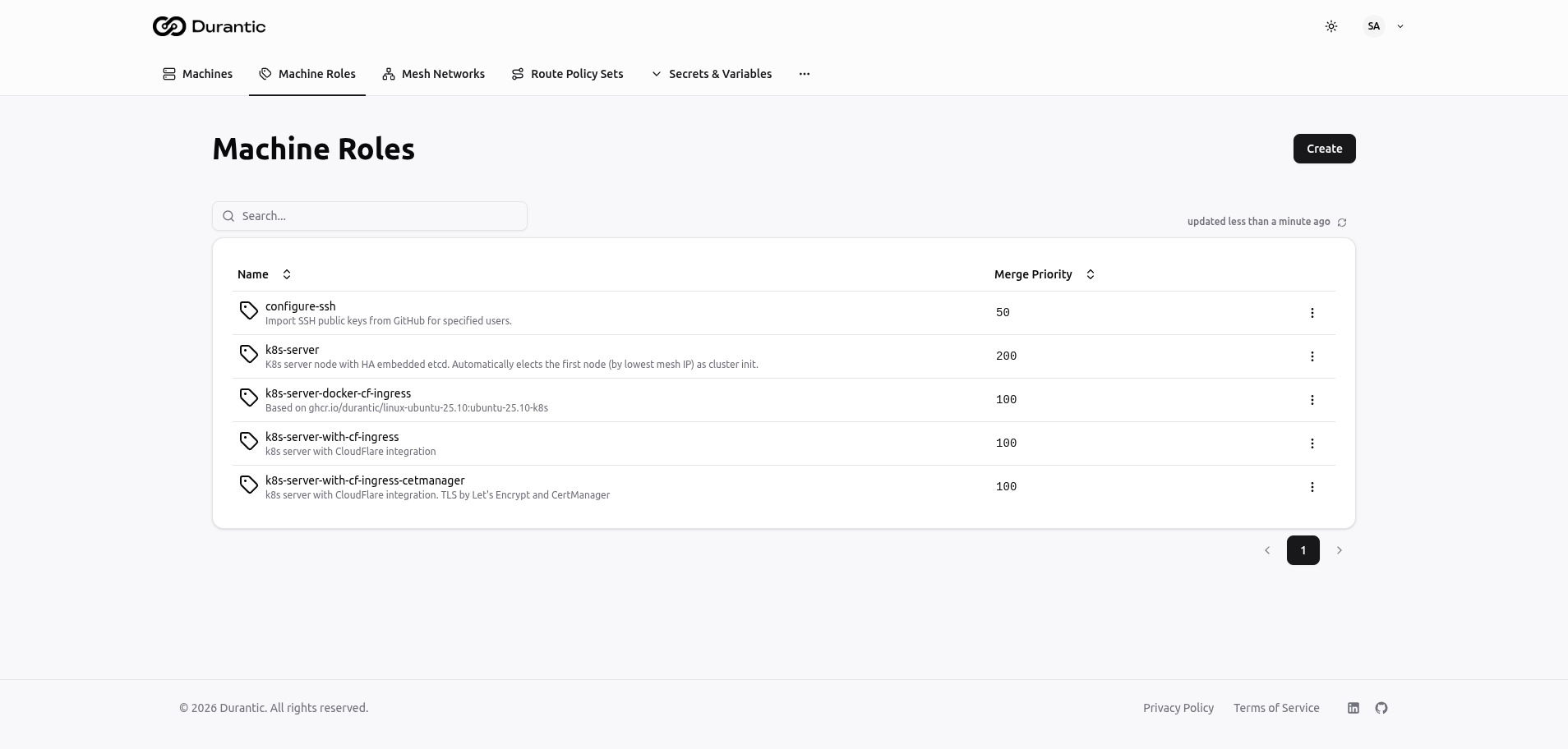
| Column | Description |
|---|---|
| Name | The role name, with its description shown below in smaller text |
| Merge Priority | Numeric value that determines the order in which roles are merged when a machine has multiple roles assigned. Lower numbers are applied first; higher numbers override. |
Click Create in the top-right corner to add a new role. Click any role name to open its edit page. The three-dot menu on each row provides options to delete the role.
Creating and Editing a Role
The role edit page has two sidebar tabs: Machine Role (the editor) and Test (template preview).
Machine Role Tab
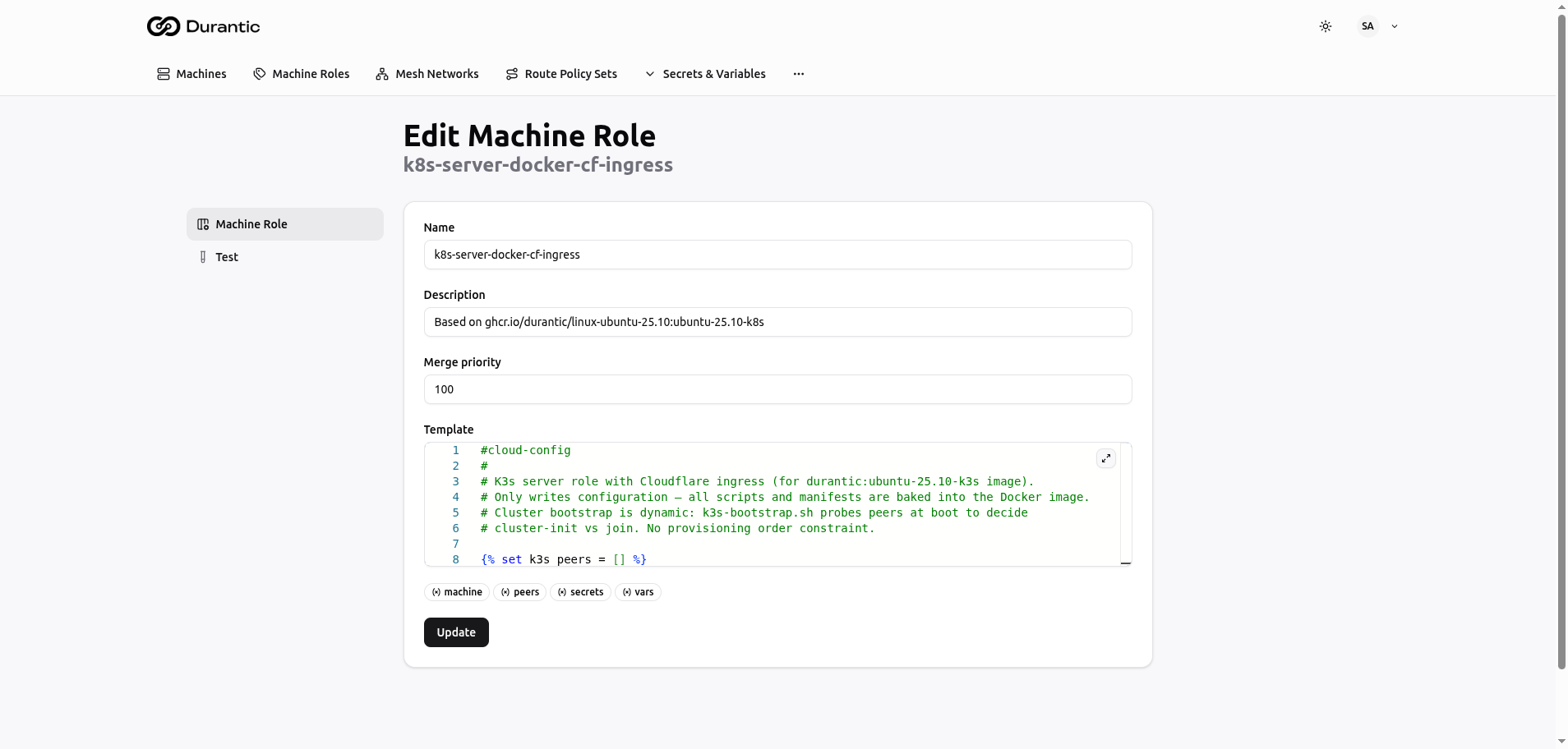
Fields:
| Field | Description |
|---|---|
| Name | A unique name for the role (e.g., k8s-server-docker-cf-ingress). Used as a reference when assigning roles to machines. |
| Description | A short human-readable description of what this role does. Displayed in the roles list and on machine detail pages. |
| Merge Priority | An integer that controls merge order. When a machine has multiple roles, templates are merged from lowest priority to highest. A role with priority 200 overrides conflicting keys from a role with priority 100. |
| Template | A Jinja2 template editor with syntax highlighting that produces cloud-init YAML. The editor supports line numbers and can be expanded to full screen. |
Below the template editor, context variable badges show the available template objects: machine, peers, secrets, vars. These are clickable references to remind you which variables you can use in your template.
Click Update to save changes.
Test Tab
The Test tab lets you preview how the template renders for a specific machine.
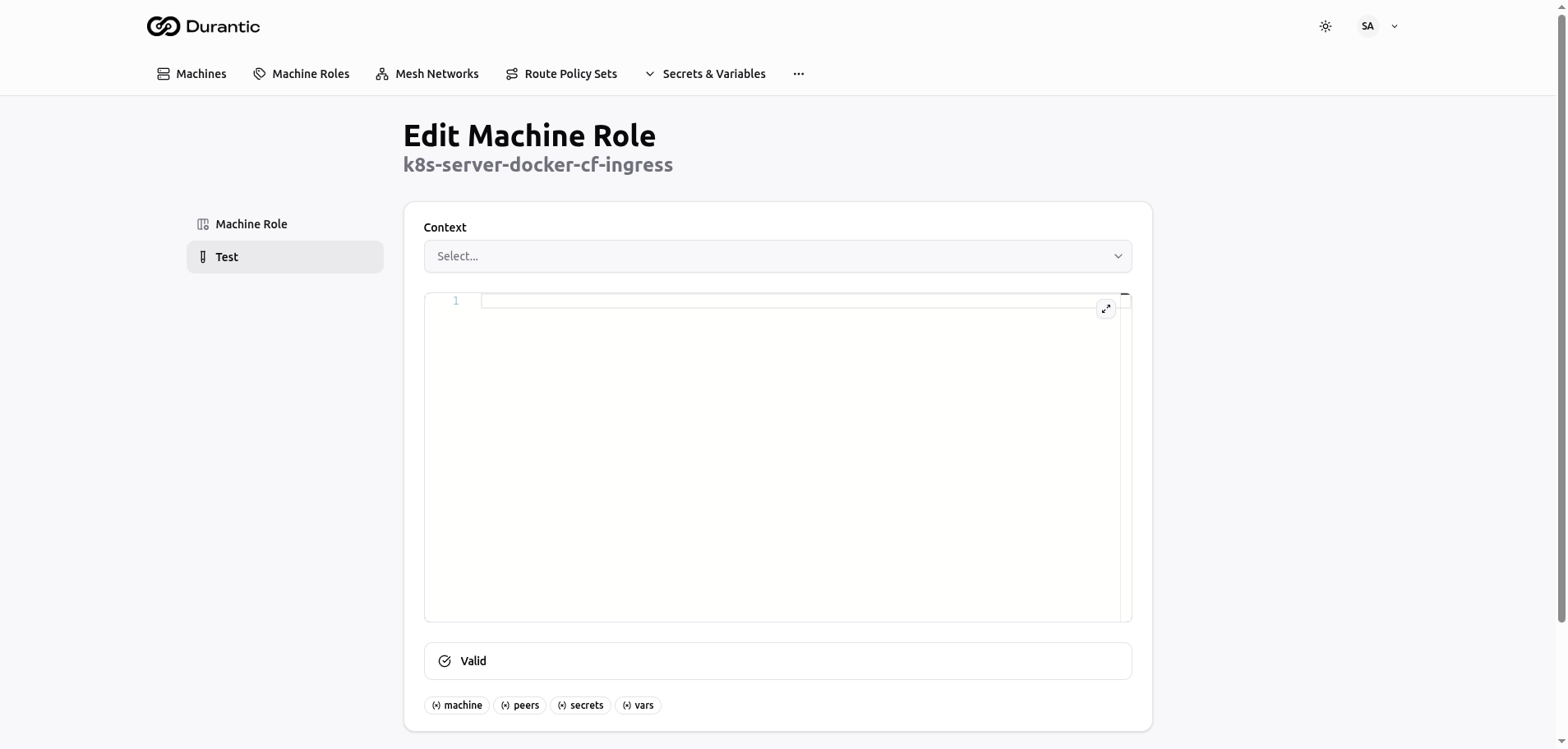
- Select a machine from the Context dropdown. This populates the template variables with that machine's actual data (hostname, hardware, mesh IP, peers, etc.).
- The rendered output appears in the code editor below, showing the final YAML that would be produced for that machine.
- A validation indicator below the editor shows "Valid" if the output is well-formed YAML, or displays warnings if there are issues.
- Context variable badges (machine, peers, secrets, vars) are displayed at the bottom for reference.
Template Context Variables
Inside a role template, you have access to the following objects:
machine
| Variable | Description |
|---|---|
machine.hostname |
The machine's hostname |
machine.roles |
List of role names assigned to the machine |
machine.hardware.cpu |
CPU information (model, cores, threads) |
machine.hardware.memory |
Memory information (total) |
machine.hardware.storage |
List of storage devices |
machine.hardware.gpu |
GPU information (if detected) |
machine.mesh.ip |
The machine's WireGuard IP in the mesh network |
machine.mesh.network |
The mesh network name and CIDR |
peers
A list of all other machines in the same mesh network. Each peer object includes hostname, mesh IP, and roles. Useful for building configurations that need awareness of other cluster members.
secrets
Access encrypted secrets by name:
Secrets are resolved at render time. See Secrets & Variables for details.
vars
Access plain-text variables by name:
Variables are resolved at render time. See Secrets & Variables for details.
Example Template
A simple role template that configures SSH keys and sets the hostname:
#cloud-config
hostname: {{ machine.hostname }}

users:
  - name: admin
    ssh_authorized_keys:
      - {{ vars.ADMIN_SSH_KEY }}
    sudo: ALL=(ALL) NOPASSWD:ALL

write_files:
  - path: /etc/environment
    content: |
      MESH_IP={{ machine.mesh.ip }}
      CLUSTER_TOKEN={{ secrets.CLUSTER_TOKEN }}
This template uses machine.hostname for dynamic hostname configuration, vars.ADMIN_SSH_KEY for a plain-text variable, and secrets.CLUSTER_TOKEN for an encrypted secret.