Mesh Networks
Mesh networks provide encrypted WireGuard-based connectivity between your machines. Machines in the same mesh network can communicate securely regardless of their physical location or network environment, as if they were on the same LAN.
List Page
The Mesh Networks list page shows all mesh networks in your account.
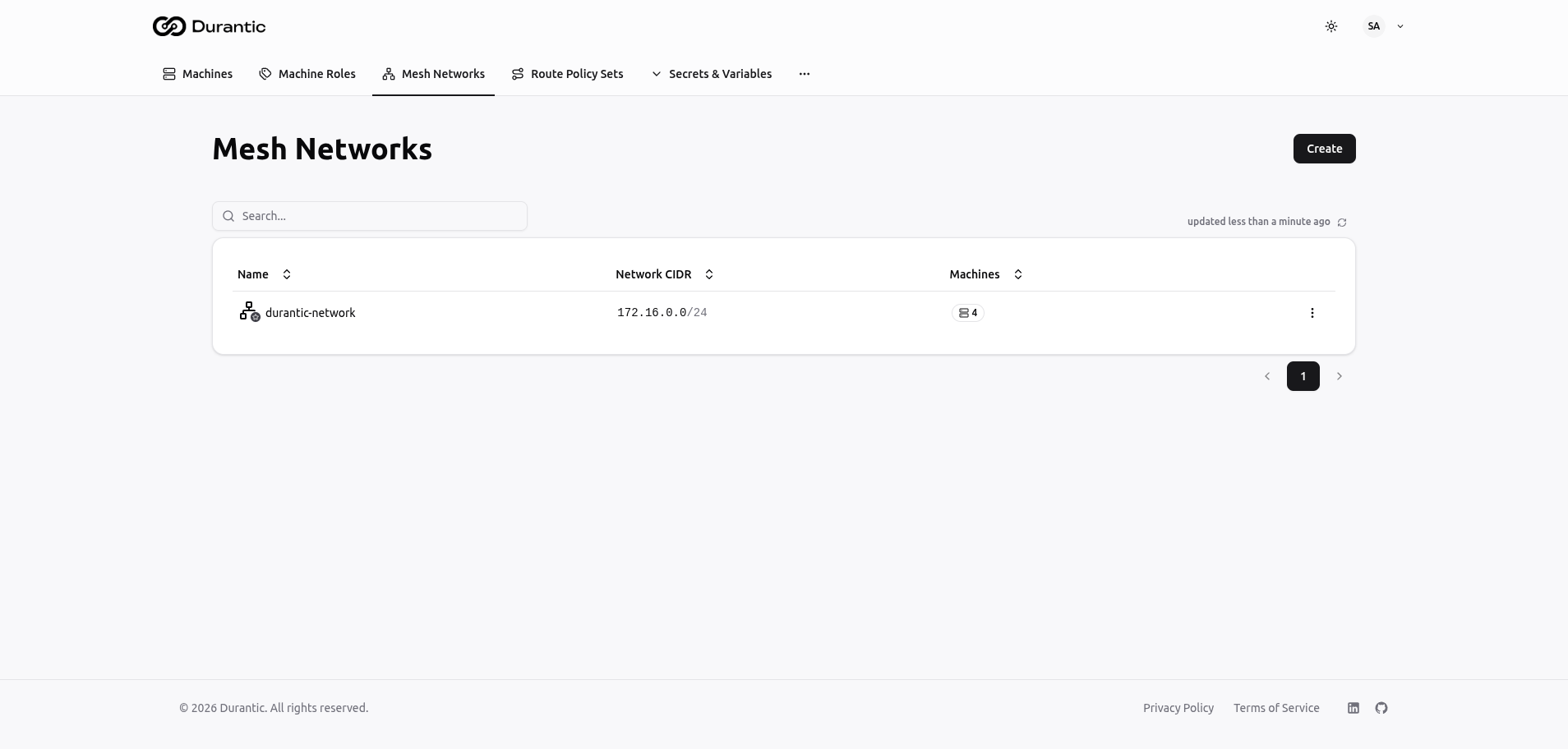
| Column | Description |
|---|---|
| Name | The network name. May include a star icon if the network is marked as the default, or an "RR" badge if route reflector mode is enabled. |
| Network CIDR | The private IP range assigned to this mesh network (e.g., 172.16.0.0/24). |
| Machines | The number of machines currently assigned to this network. |
Click Create in the top-right corner to add a new mesh network. Click a network name to view or edit it. The three-dot menu on each row provides options to delete the network.
Creating a Mesh Network
When you click Create, a form appears with the following fields:
| Field | Description |
|---|---|
| Name | A unique name for the network (e.g., durantic-network). |
| Network CIDR | The IP address range for the mesh in CIDR notation (e.g., 172.16.0.0/24). Must be a private range from RFC 1918 (10.0.0.0/8, 172.16.0.0/12, or 192.168.0.0/16). This value cannot be changed after creation. |
| Default | A toggle that marks this as the default mesh network. Newly bootstrapped machines can be automatically assigned to the default network. |
| Route Reflector Mode | Enable this for large deployments with 250 or more nodes. Route reflector mode reduces the number of BGP sessions by designating certain nodes as reflectors, improving scalability. |
Important: The Network CIDR is immutable after creation. Choose a range large enough to accommodate all the machines you plan to add. A /24 supports up to 254 machines. A /16 supports up to 65,534 machines.
IP Allocation
When a machine is assigned to a mesh network, Durantic automatically allocates the next available IP address from the network's CIDR range. You do not need to manually assign WireGuard IPs.
For example, in a 172.16.0.0/24 network:
- The first machine receives
172.16.0.1 - The second machine receives
172.16.0.2 - And so on
You can view a machine's allocated mesh IP on the machine detail page under the Network tab.
How Mesh Networking Works
Once a machine is assigned to a mesh network and provisioned:
- The agent configures a WireGuard interface with the allocated IP address.
- The agent registers its WireGuard public key and network endpoints with the control plane.
- The control plane distributes peer information to all machines in the network.
- Each agent establishes direct peer-to-peer WireGuard tunnels with every other machine in the mesh.
- If direct connections are not possible (due to NAT or firewalls), traffic is routed through transit nodes.
All traffic within the mesh is encrypted end-to-end by WireGuard.