Secrets & Variables
The Secrets & Variables dropdown in the main menu contains three pages for managing configuration values used in your machine role templates:
- Secrets — Encrypted key-value pairs for sensitive data
- Variables — Plain-text key-value pairs for non-sensitive configuration
- Secrets Backends — External secrets providers for agent-resolved secrets
Secrets
Secrets store sensitive values such as API tokens, passwords, and private keys. Values are encrypted at rest and are write-only — once saved, a secret's value is never displayed in the dashboard.
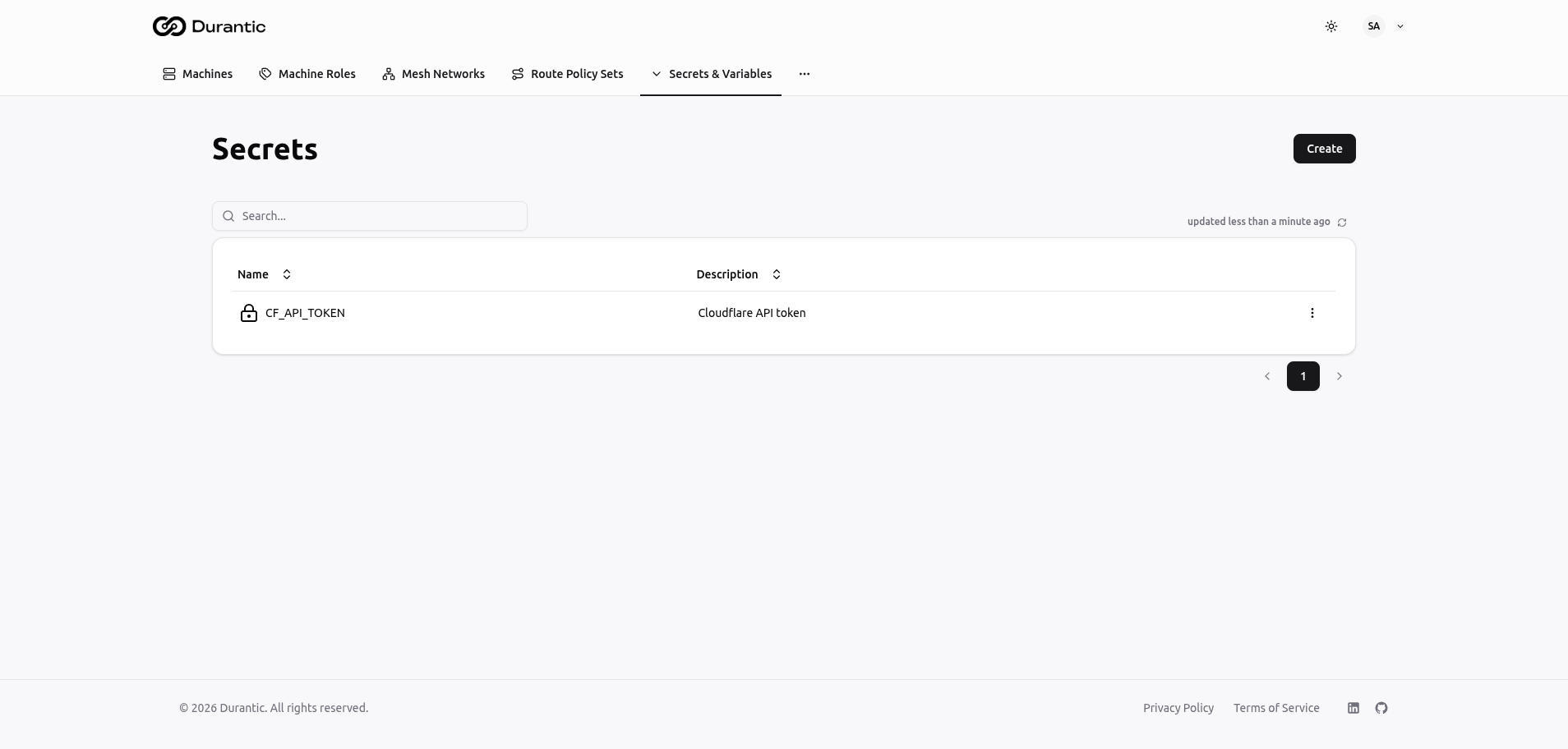
Table Columns
| Column | Description |
|---|---|
| Name | The secret name, prefixed with a lock icon. Used to reference the secret in templates. |
| Description | An optional description of what the secret contains. |
Creating a Secret
Click Create to add a new secret.
| Field | Description |
|---|---|
| Name | A unique name for the secret. Convention is UPPER_SNAKE_CASE (e.g., CF_API_TOKEN). |
| Value | The secret value. This field is only visible during creation and editing. After saving, the value cannot be retrieved — you can only replace it. |
| Description | An optional description to help team members understand what the secret is for. |
Using Secrets in Templates
Reference a secret by name using the secrets object:
The secret value is resolved when the template is rendered. If the secret does not exist, rendering will produce an error.
Variables
Variables store plain-text configuration values. Unlike secrets, variable values are always visible in the dashboard and can be read by any team member.
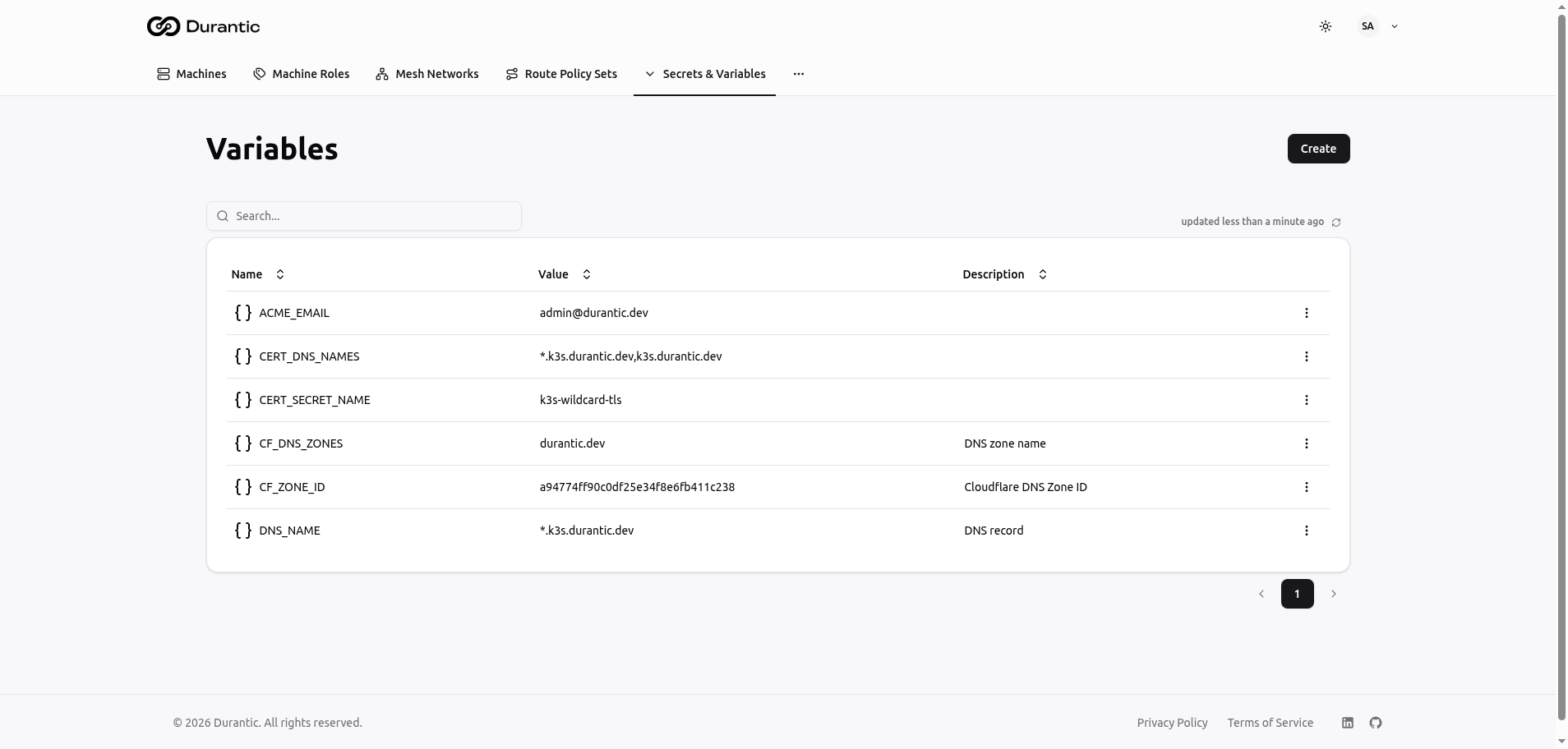
Table Columns
| Column | Description |
|---|---|
| Name | The variable name, prefixed with a curly-braces icon. |
| Value | The current value of the variable, displayed in full. |
| Description | An optional description of the variable's purpose. |
Creating a Variable
Click Create to add a new variable.
| Field | Description |
|---|---|
| Name | A unique name for the variable. Convention is UPPER_SNAKE_CASE (e.g., DNS_NAME). |
| Value | The variable value. Can be any string — a URL, an IP address, a domain name, a configuration snippet, etc. |
| Description | An optional description to help team members understand what the variable is for. |
Using Variables in Templates
Reference a variable by name using the vars object:
Secrets Backends
Secrets backends connect Durantic to external secrets providers such as HashiCorp Vault or custom HTTP endpoints. Secrets from backends are resolved by the agent at install time on the machine itself, rather than by the control plane during template rendering.
How Backends Differ from Secrets
| Feature | Secrets | Secrets Backends |
|---|---|---|
| Storage | Durantic control plane | External provider (Vault, HTTP) |
| Resolution time | Template render time | Agent install time (on machine) |
| Syntax | {{ secrets.NAME }} |
${secrets:backend-name:path:key} |
| Visibility | Write-only in dashboard | Managed externally |
Backend Syntax
Reference a backend secret in your template using the dollar-sign syntax:
Where:
backend-name— The name you gave the backend when configuring it.path— The path to the secret within the backend (e.g., a Vault path).key— The specific key within the secret to retrieve.
Example:
This fetches the password key from the kv/data/database path in the backend named vault.
Usage in Templates
You can use all three types of configuration values together in a single machine role template:
#cloud-config
write_files:
  - path: /etc/app/config.env
    permissions: '0600'
    content: |
      # Plain-text variable (from Durantic Variables)
      DOMAIN={{ vars.DNS_NAME }}
      ACME_EMAIL={{ vars.ACME_EMAIL }}

      # Encrypted secret (from Durantic Secrets, resolved at render time)
      CF_API_TOKEN={{ secrets.CF_API_TOKEN }}

      # External secret (from Vault, resolved by agent at install time)
      DB_PASSWORD=${secrets:vault:kv/data/database:password}
When to use each type:
| Type | Best for | Example |
|---|---|---|
| Variables | Non-sensitive configuration shared across roles | Domain names, email addresses, feature flags |
| Secrets | Sensitive values managed in Durantic | API tokens, TLS certificates, cluster tokens |
| Secrets Backends | Sensitive values managed in an external system | Database passwords stored in Vault, credentials from a corporate secrets manager |