Dashboard Overview
The Durantic dashboard is a web-based interface for managing your hybrid infrastructure. From the dashboard you can register machines, assign roles, configure mesh networks, manage secrets, and monitor provisioning — all without touching a command line.
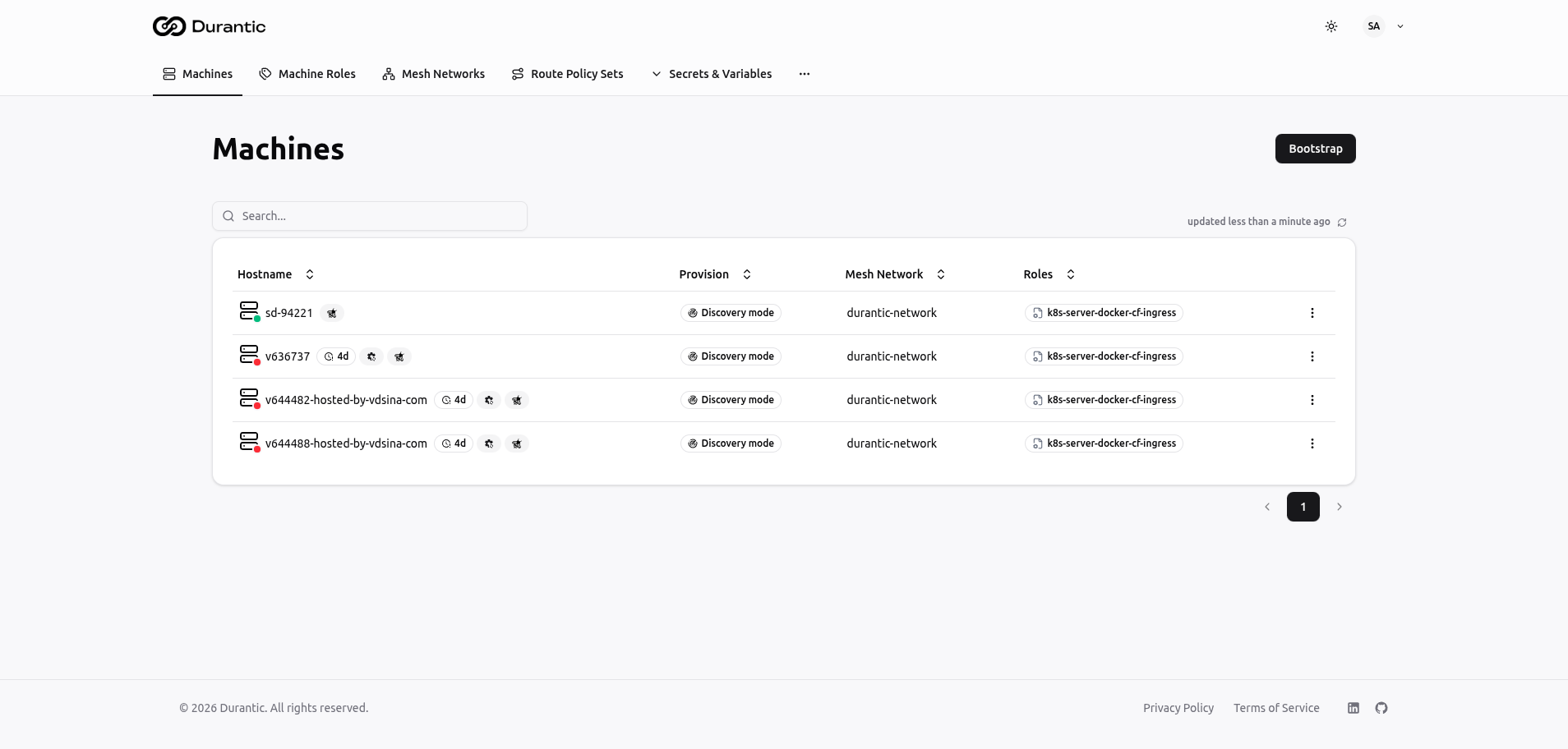
Navigation Structure
Top Bar
The top bar is visible on every page and contains two areas:
Left side — Main menu
| Menu Item | Description |
|---|---|
| Machines | List of all registered machines with online/offline status and provisioning state |
| Machine Roles | Reusable configuration templates that produce cloud-init YAML |
| Mesh Networks | WireGuard-based encrypted overlay networks connecting your machines |
| Images | Centralized OCI image catalog — Official and custom images for machine provisioning |
| Load Balancing | Dropdown containing three sub-pages: Route Policy Sets, Routes, and VIPs |
| Secrets & Variables | Dropdown containing four sub-pages: Secrets Backends, Variables, Secrets, and Registry Credentials |
Right side — User controls
| Control | Description |
|---|---|
| Cluster Wizard | Guided flow to provision a Kubernetes cluster end-to-end |
| Docs | Link to the Durantic documentation |
| MCP | MCP server connection info for AI assistant integration |
| Theme toggle | Switch between light, dark, and system-default themes |
| User menu | Avatar with initials, opens a dropdown with account settings and logout |