Images
The Images page provides a centralized catalog of OCI container images available for machine provisioning. Images are referenced by Machine Roles and can be set as the account-wide default in Organization settings.
Images are managed from Images in the main menu.
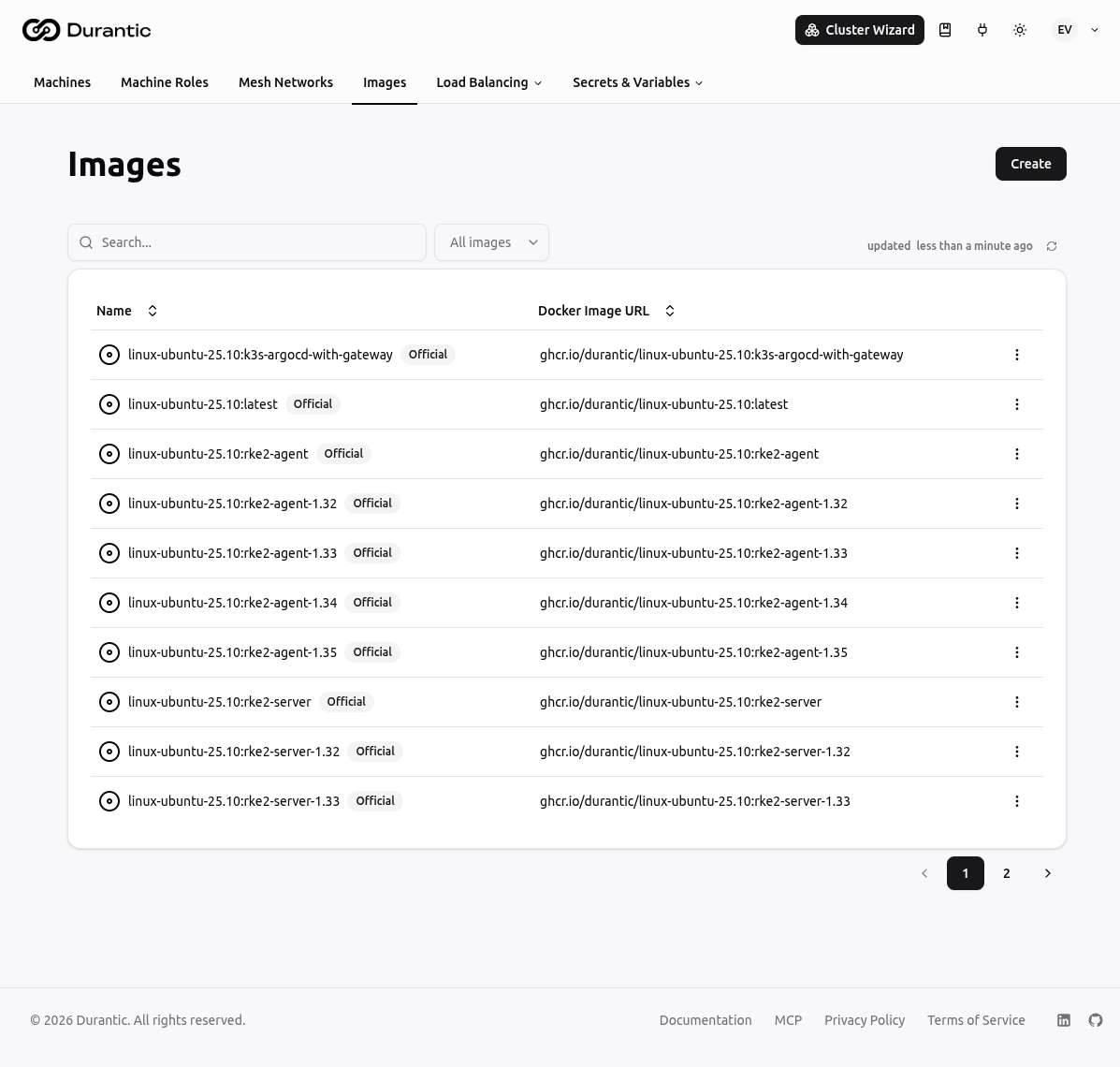
List Page
The Images list shows all images in your account.
| Column | Description |
|---|---|
| Name | The image name. Official images display an Official badge. |
| Docker Image URL | The full OCI image URL (e.g. ghcr.io/durantic/ubuntu-22.04:latest). |
Use the All images dropdown to filter between Official and custom images.
Click any image name to open its edit page. The three-dot menu on each row provides options to delete a custom image.
To delete several images at once, select them with the checkboxes in the left column and click the Delete button in the top-right corner. Official images can't be deleted, so their checkboxes are disabled.
Official Images
Official images are synced automatically from the Durantic GitHub organization. They cannot be edited or deleted. Official images are the recommended base for provisioning — they are maintained and tested by Durantic.
Creating a Custom Image
Click Create to register a custom OCI image.
| Field | Description |
|---|---|
| Name | A unique name for this image (e.g. ubuntu-custom). |
| Description | Optional description of what this image contains. |
| Docker Image URL | The full OCI image URL (e.g. ghcr.io/your-org/your-image:tag). |
| Docker Registry Auth | Select a Registry Credential if the image is hosted in a private registry. Leave empty for public images. |
Using Images
In Machine Roles
Each Machine Role has an Image field that links the role to an image. When a machine is provisioned using that role, the controlplane resolves the Docker Image URL from the linked image and passes it to the provisioning flow. See Machine Roles for details.
Account Default Image
In Account Settings → Organization, you can set a Default Image. This image is used when provisioning a machine whose role does not specify an image. See Account Setup for details.
Related
- Registry Credentials — Store credentials for private OCI registries
- Machine Roles — Link images to roles for use at provision time
- Machine Provisioning — How images are used during provisioning