VIPs
Virtual IPs (VIPs) let you advertise a single IP address from multiple machines in your mesh network using BGP. When a machine passes its health check, it announces the VIP and traffic flows to it. If that machine fails, another healthy machine takes over automatically — giving you high availability without external load balancers.
VIPs are managed globally from Load Balancing → VIPs in the main menu.
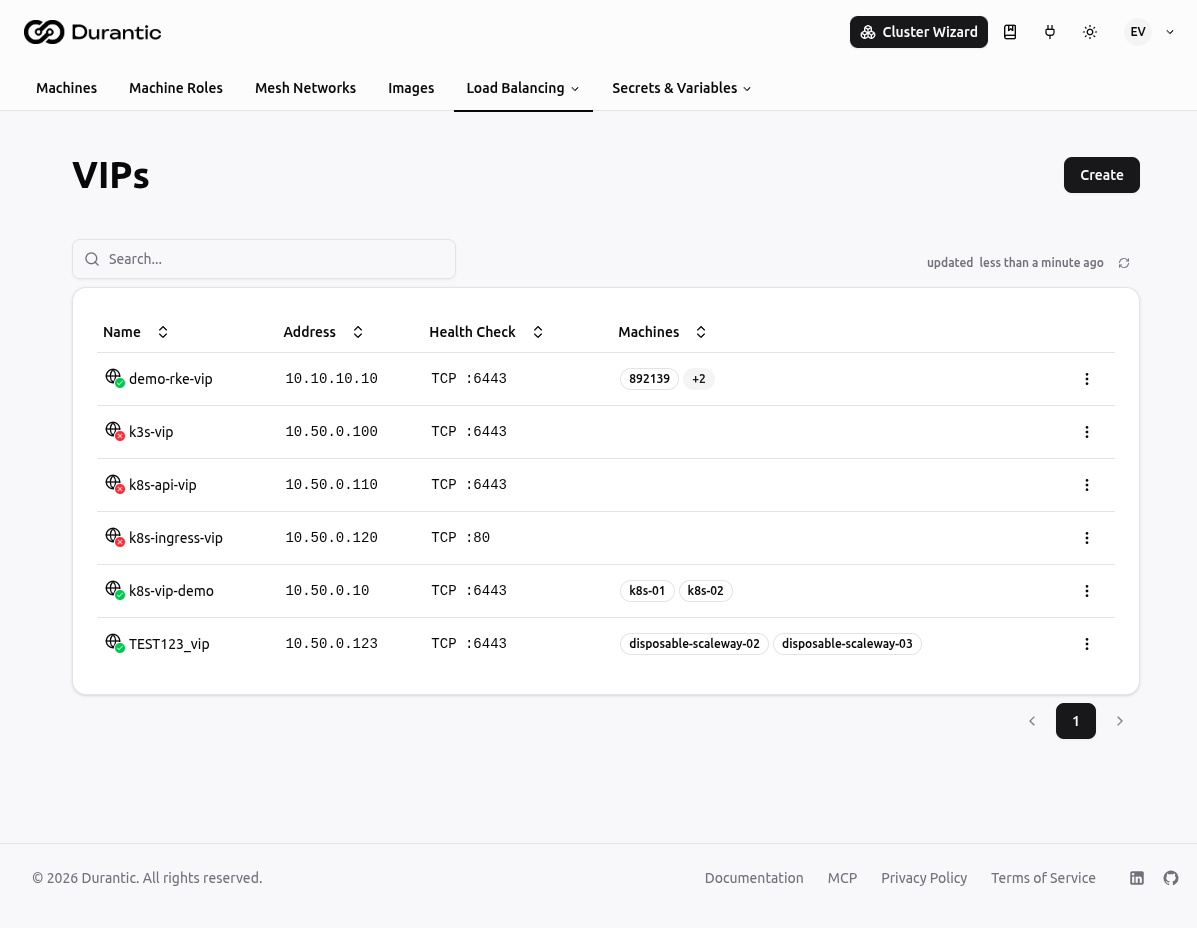
List Page
The VIPs list shows all VIPs in your account.
| Column | Description |
|---|---|
| Name | The VIP name. A green globe icon indicates the VIP is currently being announced; red means no machine is announcing it. |
| Address | The IP address being announced into the mesh. |
| Health Check | The health check protocol and target configured for this VIP (e.g. TCP :6443). Empty if no health check is configured. |
| Machines | The machines assigned to announce this VIP. |
Click any VIP name to open its edit page. The three-dot menu on each row provides options to delete the VIP.
Creating a VIP
Click Create to open the creation dialog.
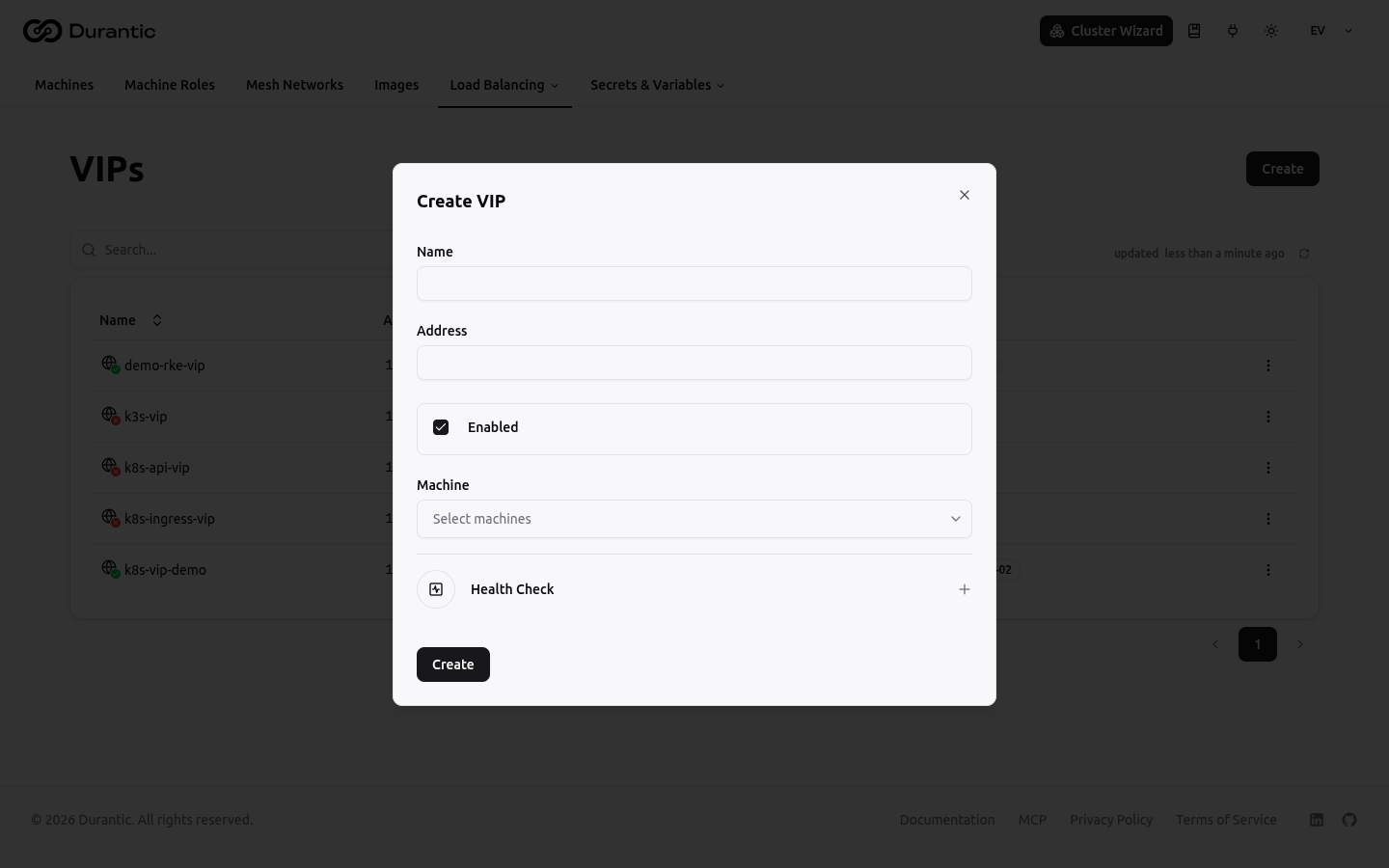
| Field | Description |
|---|---|
| Name | A unique name for this VIP (e.g. k8s-api-vip). |
| Address | The IP address to announce. Must be within a CIDR that is routable in your mesh network. |
| Enabled | Toggle to activate or deactivate the VIP without deleting it. |
| Machine | Select which machines should announce this VIP. For high availability, select multiple machines — traffic fails over to another healthy machine if one goes down. |
Health Check
Expand the Health Check section to configure when the VIP should be announced.
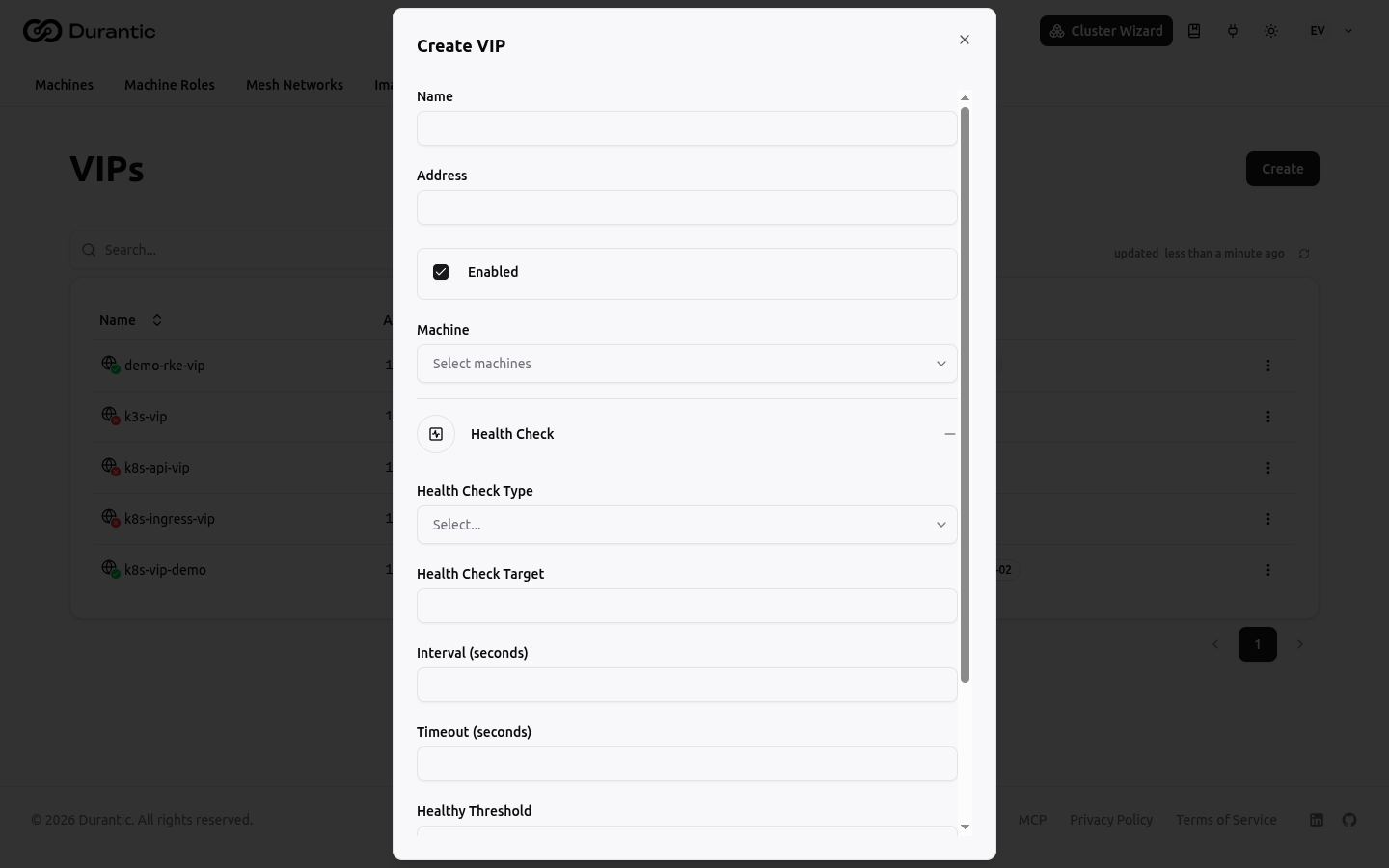
| Field | Description |
|---|---|
| Health Check Type | Protocol: TCP, HTTP, gRPC, or Exec. |
| Health Check Target | Address or command to check. For TCP/HTTP/gRPC: host:port or URL. For Exec: command to run on the machine. |
| Interval (seconds) | How often to run the health check. |
| Timeout (seconds) | Maximum time to wait for a response. |
| Healthy Threshold | Consecutive successes required before the VIP is announced. |
| Unhealthy Threshold | Consecutive failures required before the VIP is withdrawn. |
If you leave the Health Check section collapsed, the VIP is always announced on all assigned machines as long as they are enabled.
Holdoff
The holdoff setting (available on the VIP edit page) delays withdrawal after a health check failure. During the holdoff window, the agent uses gossip to check whether other nodes also failed. If all nodes are unhealthy simultaneously (e.g. a global service restart), the announcement is held to prevent a coordinated BGP withdrawal that would cause a traffic blackhole. If only this node failed while peers remain healthy, withdrawal happens immediately regardless of holdoff.
Default: 0 seconds (withdraw immediately, no holdoff).
Per-Machine VIPs
Each machine's detail page has a VIPs tab (under Networking) that shows only the VIPs assigned to that specific machine. You can also create VIPs directly from that tab.
Related
- Route Policy Sets — Filter and manipulate BGP route advertisements
- Routes — Announce network prefixes instead of single IPs
- Load Balancing — How load balancing and BGP integration work in Durantic